Plan your 14-day claim window
Enter an actual or planned activation time to estimate the end of a 336-hour window. This tool does not activate a token, check eligibility or confirm future Shop inventory.
How to use the calculator
- Enter the date and time when you activated access, or a time you are considering.
- Choose the time zone of that input: your device zone, UTC or a signed fixed offset such as -06:00.
- Select Calculate end time. Read the estimate in your selected zone, your device zone and UTC.
The calculation is activation instant + 14 × 24 hours. Across a daylight saving change, the same 336-hour interval can end at a different local clock hour. If an input occurs twice or does not exist during a clock change, use UTC or an explicit offset.
Inputs stay in your browser and are not saved. The tool does not connect to your Epic account or activate a token.
A worked UTC example
For an activation at , adding 336 hours gives . Your own activation time may differ.
Activation deadline and claim window are separate
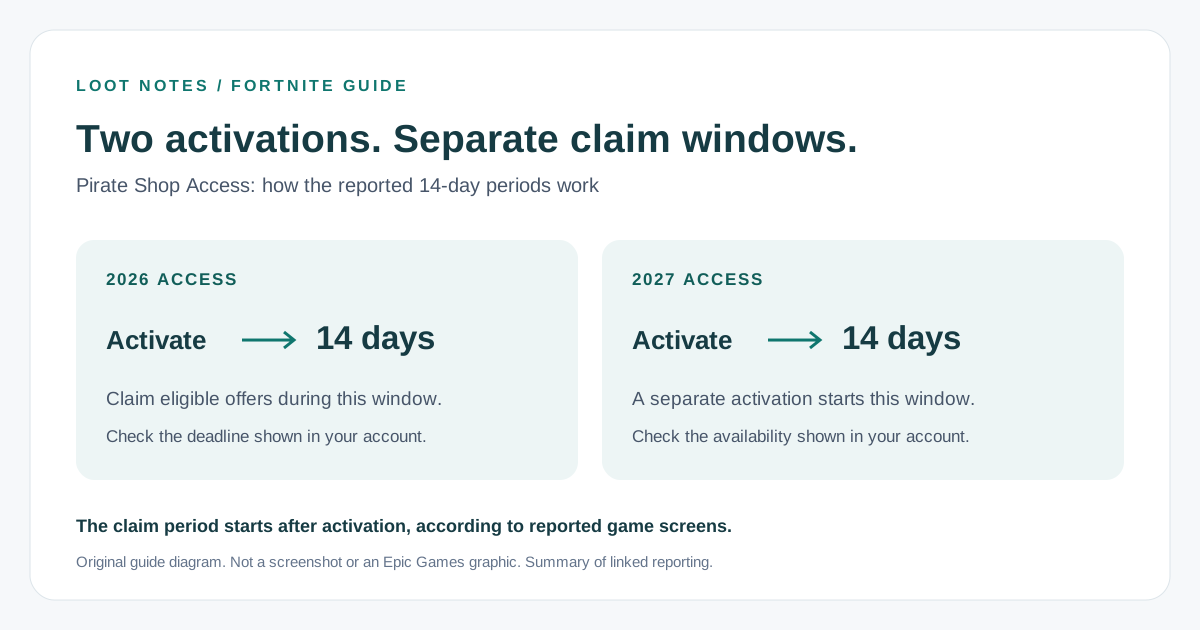
The activation deadline is the last opportunity to start access. The claim window is the period after activation. This calculator estimates the latter; it does not check whether activation is still permitted.
Reporting on captured reward terms describes separate 2026 and 2027 activations. Check the dates and complete conditions in your own account. See the main guide’s deadline explanation.
Calculator questions
Does this calculate the official expiry for my account?
No. It adds 336 hours to the activation time you enter. The actual deadline and countdown displayed in Fortnite take precedence.
Can it tell me the best day to activate?
It can compare possible end times, but it cannot predict future Shop inventory or reserve an offer. Check your activation deadline before choosing a date.
Why can the local end time be an hour different?
The calculation adds 336 elapsed hours. A daylight saving change during the window can move your local clock while the UTC duration stays the same.